GPT-6 Now Builds Calculators and Mini-Apps for 1.2 Billion ChatGPT Users — But Check the Math
OpenAI has rolled out GPT-6 to all 1.2 billion weekly ChatGPT users, introducing Intelligent UI — a feature that builds interactive calculators, charts, and forms directly inside the chat window. The rollout is a significant scale milestone, even as rivals Gemini and Claude have offered similar features for months, and analysts warn that polished AI-generated interfaces may make numerical errors harder to spot.
OpenAI has made one of its most consequential rollouts to date — not by releasing a research breakthrough behind a waitlist, but by quietly shipping a new model tier and a fundamental change to how ChatGPT responds to everyday questions. As reported by The Neuron, GPT-6 is now live in ChatGPT for the platform’s 1.2 billion weekly users, and the headline feature is something called Intelligent UI: the ability for ChatGPT to decide on its own when a chart, slider, form, or calculator serves you better than a paragraph of text — and then build that interactive element right inside the chat window.
What Intelligent UI Actually Does
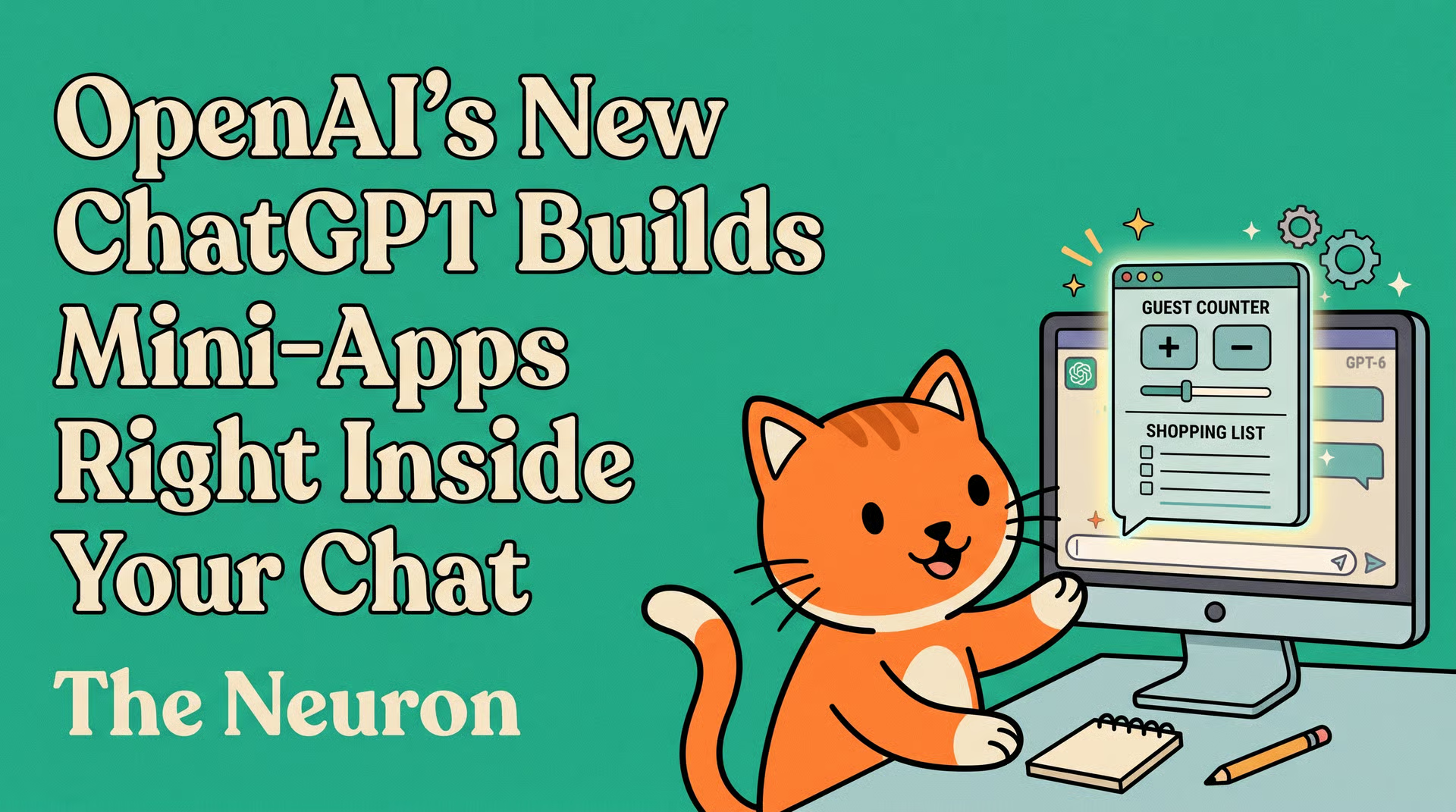
The clearest way to understand Intelligent UI is through the example The Neuron uses: ask ChatGPT to plan a Sunday roast for a group of friends, and instead of returning a block of text with a fixed shopping list, it now returns a small interactive tool. Adjust the guest count with a slider, and the shopping list rewrites itself in real time. No copy-pasting into a spreadsheet. No reformatting. The answer is the app.
This is a meaningful shift in the product experience. For years, getting dynamic, “what if” analysis out of an AI chat meant taking the text output and manually plugging numbers into your own tools. Intelligent UI collapses that extra step. The ambition is straightforward: make the AI’s answer feel like software, not a document.
According to The Neuron’s coverage, OpenAI’s approach differs technically from what rivals have already shipped. Gemini and Claude generate interactive answers by having the model write actual code from scratch for each response. OpenAI, by contrast, appears to use a library of prebuilt interface components — sliders, forms, charts — that ChatGPT snaps together based on your request. The practical implication is that OpenAI’s layouts are likely to feel more polished and consistent, but the range of things it can build may be narrower than a fully custom-coded approach.
The Tiered Rollout: Who Gets What
Not every user gets the same version of GPT-6. The rollout is structured across several model tiers, and the experience you get depends on your plan.
- GPT-6 Sol — the more capable tier — went live on Wednesday for Plus, Pro, Business, and Enterprise users. Enterprise access is subject to workplace admin settings.
- GPT-6 Luna — the lighter, faster tier — is rolling out starting today for free and Go users.
- A third variant, GPT-6 Instant, is focused on speed. According to The Neuron, it started answering web search queries 44% sooner than GPT-5.6 Instant.
One important constraint: Intelligent UI lives only in the Chat tab. The models powering OpenAI’s Work and Codex products remain unchanged for now.
For Indian users on the free tier, this means GPT-6 Luna is available without any subscription cost — a significant upgrade given that interactive UI features have previously been locked behind paid plans or specialist tools.

The Competitive Context
To understand why this rollout matters, it helps to look at where ChatGPT sits relative to its competitors. The Neuron’s analysis makes the competitive picture explicit: Gemini and Claude have been shipping interactive, code-generated UI responses for months. OpenAI is not the first to the feature.
What OpenAI does have, however, is an audience that dwarfs the rest. The 1.2 billion weekly user figure is the real story here. When a feature reaches that scale — including free users who may have little prior experience with AI tools — it reshapes what mainstream expectations of a chatbot look like. Yesterday, a chatbot gave you text. Today, it hands you a working calculator. That transition is happening for over a billion people at once.
This also means the stakes for accuracy are higher than they might appear. A wrong number buried in a paragraph is easy to overlook or dismiss. A wrong number displayed in a clean, professionally styled calculator carries an implicit authority. The interface signals trustworthiness even when the underlying calculation may not be. The Neuron flags this directly: OpenAI’s announcement makes no accuracy claim for the numbers generated by Intelligent UI. Treat any financial or planning calculator it produces the way you would treat a first draft from a capable but fallible intern — review the formula, not just the output.
This concern is especially relevant in high-stakes use cases. A retirement savings calculator built by ChatGPT in seconds might look indistinguishable from one built by a certified financial planner’s firm. For users in India planning SIP targets, EMI calculations, or tax estimates, that polished interface could be genuinely useful — or genuinely misleading — depending on how carefully the underlying math is checked.
How to Use It Right Now
Getting started with Intelligent UI requires no special settings or prompts. According to The Neuron’s coverage, the steps are straightforward.
- 1. Open the Chat tab in ChatGPT — Intelligent UI is not available in the Work or Codex tabs.
- 2. Describe the tool you want in plain English. Something like “build me a savings calculator” or “make a grocery list that updates with the number of guests” is sufficient.
- 3. Interact with the result directly in the chat window — adjust sliders, fill in fields, tap buttons.
The key discipline is to verify the math independently before relying on any output for real decisions. OpenAI has not made accuracy guarantees, and the polished presentation of the interface is not a substitute for checking the formula.
The Broader Shift This Represents

Zooming out, GPT-6’s rollout reflects a broader direction in how AI companies are thinking about what a “response” should be. Text was always a pragmatic default — it was easy to generate and easy to consume. But text is a poor format for anything that requires interaction, iteration, or numerical exploration. Intelligent UI is OpenAI’s answer to that limitation.
The competitive pressure here is also worth noting. Anthropic’s Claude has its Artifacts feature for rendering interactive components. Google’s Gemini generates code-based simulations from single prompts. All three of the major consumer AI platforms are now converging on the idea that AI responses should sometimes be software, not sentences. OpenAI is the last of the three to ship this to its full user base — but it’s doing so at a scale the others have not matched.
For developers and product teams in India, this rollout also signals something about where the baseline user expectation is heading. If 1.2 billion people start using an AI that builds mini-apps on demand, the bar for what a “useful” AI product looks like rises accordingly. Tools that return only text will increasingly feel like a step backwards.
The Open Question
The Neuron closes its analysis with a sharp question that deserves to be taken seriously: will first-time users check the math behind a clean interface, or will they simply trust it?
That question has no easy answer. The history of consumer software suggests that a polished UI lends credibility even when the underlying logic is flawed. Spreadsheets carried the same risk when they became widespread — a confidently formatted Excel sheet with a broken formula caused more than one corporate disaster. AI-generated calculators introduce that same dynamic at a scale and speed that manual review cannot always match.
The responsible posture, for now, is to treat Intelligent UI as a powerful first draft tool — genuinely useful for getting a working structure in seconds, but requiring the same verification you would apply to any other AI output. The interface may look finished. The math still needs your eyes on it.